


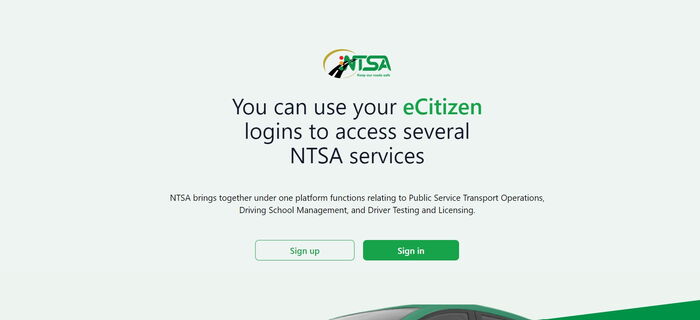
Transferring motor vehicle ownership in Kenya remains a fully digital process in 2026, handled through the National Transport and Safety Authority (NTSA) via the Transport Integrated Management System (TIMS) portal.
Whether you are selling a car, buying a used vehicle, or applying for a duplicate logbook, here is a clear and updated step-by-step guide to help you complete the process smoothly.
What Is the NTSA TIMS Ownership Transfer?
The NTSA TIMS system allows the digital transfer of motor vehicle ownership from a seller to a buyer without visiting NTSA offices physically.
Both parties must:
- Have active TIMS accounts
- Be registered using their National ID or relevant documentation
- Complete their respective steps for the transfer to go through
Why Use NTSA TIMS in 2026?
Convenience
The entire process is done online from your phone or computer.
Transparency
You can track the transfer status in real time.
Security
The system verifies buyer and seller details, reducing fraud and fake logbook transfers.
Step-by-Step Guide: How to Transfer Vehicle Ownership on NTSA TIMS
For the Seller
1. Log In to TIMS
- Visit the official NTSA TIMS portal.
- Select your preferred service portal.
- Log in using your credentials.
2. Initiate the Transfer
- Navigate to:
Vehicle Registration → Transfer Vehicle → Apply for Transfer of Ownership - A list of vehicles registered under your name will appear.
- Select the vehicle you want to transfer.
3. Enter Buyer’s Details
- Input the buyer’s National ID number.
- Confirm their TIMS account details.
- Select ownership type:
- Individual
- Joint
- Financier
- Diplomatic Mission
4. Upload Required Documents
- Attach a clear, colored scanned copy of the vehicle logbook (PDF format).
5. Payment and Submission
- Tick the declaration box.
- Pay the applicable transfer fee.
- Click Submit.
- A confirmation message will be sent to your registered mobile number.
For the Buyer
1. Log In to TIMS
- Access your TIMS account through the same portal.
2. Accept the Transfer
- Navigate to:
Vehicle Registration → Accept Ownership - Review vehicle details carefully.
- Select Passed.
- Tick the declaration box.
3. Submit for Approval
- Click Approve to finalize your part of the process.
Logbook Dispatch
Once NTSA approves the transfer:
- A new logbook is generated.
- It is sent to the selected collection point.
- You will receive a notification when it is ready.
2026 Vehicle Transfer Charges
| Engine Capacity | Transfer Fee (KES) | e-Sticker Fee (KES) |
|---|---|---|
| Up to 1000cc | 1,500 | 750 |
| 1001cc–1200cc | 2,000 | 750 |
| 1201cc–1500cc | 2,500 | 750 |
| 1501cc–1700cc | 3,000 | 750 |
| 1701cc–2000cc | 3,500 | 750 |
| 2001cc–2500cc | 4,000 | 750 |
| 2501cc–3000cc | 4,500 | 750 |
| Over 3000cc | 5,000 | 750 |
| Trailer (4+ wheels) | 3,000 | 750 |
Note: Always confirm current fees on the official NTSA portal before payment, as charges may be updated.
Processing Timelines in 2026
- Transfer Processing: Typically within 3 working days
- Logbook Dispatch: After approval and based on collection scheduling
Delays may occur if documentation is incomplete or verification issues arise.
How to Check Transfer Application Status
- Log in to your TIMS account.
- Go to:
Vehicle Registration → Transfer of Ownership → View Pending Application - Review the status of your application.
How to Apply for a Duplicate Logbook in 2026
You may need a duplicate logbook if the original is lost, defaced, or damaged.
When Applying for a Duplicate Logbook
Lost Logbook
You must provide:
- Police abstract
- Sworn affidavit
- Tape-lift report
Defaced Logbook
- Upload a scanned copy of the damaged logbook
Steps to Apply
1. Log In to TIMS
- Navigate to:
Vehicle Registration → Duplicate Registration
2. Upload Required Documents
- Attach all supporting documents in PDF format.
3. Make Payment and Submit
- Pay the applicable fee.
- Submit your application.
- Await NTSA approval.
Important Tips for Buyers and Sellers
- Ensure both parties have active and verified TIMS accounts.
- Double-check all ID numbers and vehicle details before submission.
- Keep scanned documents ready in PDF format.
- Save payment receipts for future reference.
- Do not pay brokers or third parties to “fast-track” your application.
The NTSA TIMS platform continues to streamline motor vehicle ownership transfers in Kenya in 2026, making the process faster, more secure and fully digital.
By following the correct steps and ensuring all documents are accurate, buyers and sellers can complete transfers smoothly without unnecessary delays.